The stock photography industry is more competitive than ever, and producing great images is only half the battle. The other half? Tagging, titling, and describing those images so buyers can actually find them.
Manual keywording is tedious and time-consuming, often taking up hours that could be spent shooting new content. That’s where SubmitAI comes in. Our AI-powered engine analyzes your visuals and instantly generates high-converting, agency-ready metadata.
In this step-by-step guide, we’ll show you how to leverage SubmitAI to supercharge your workflow and get your assets online faster.
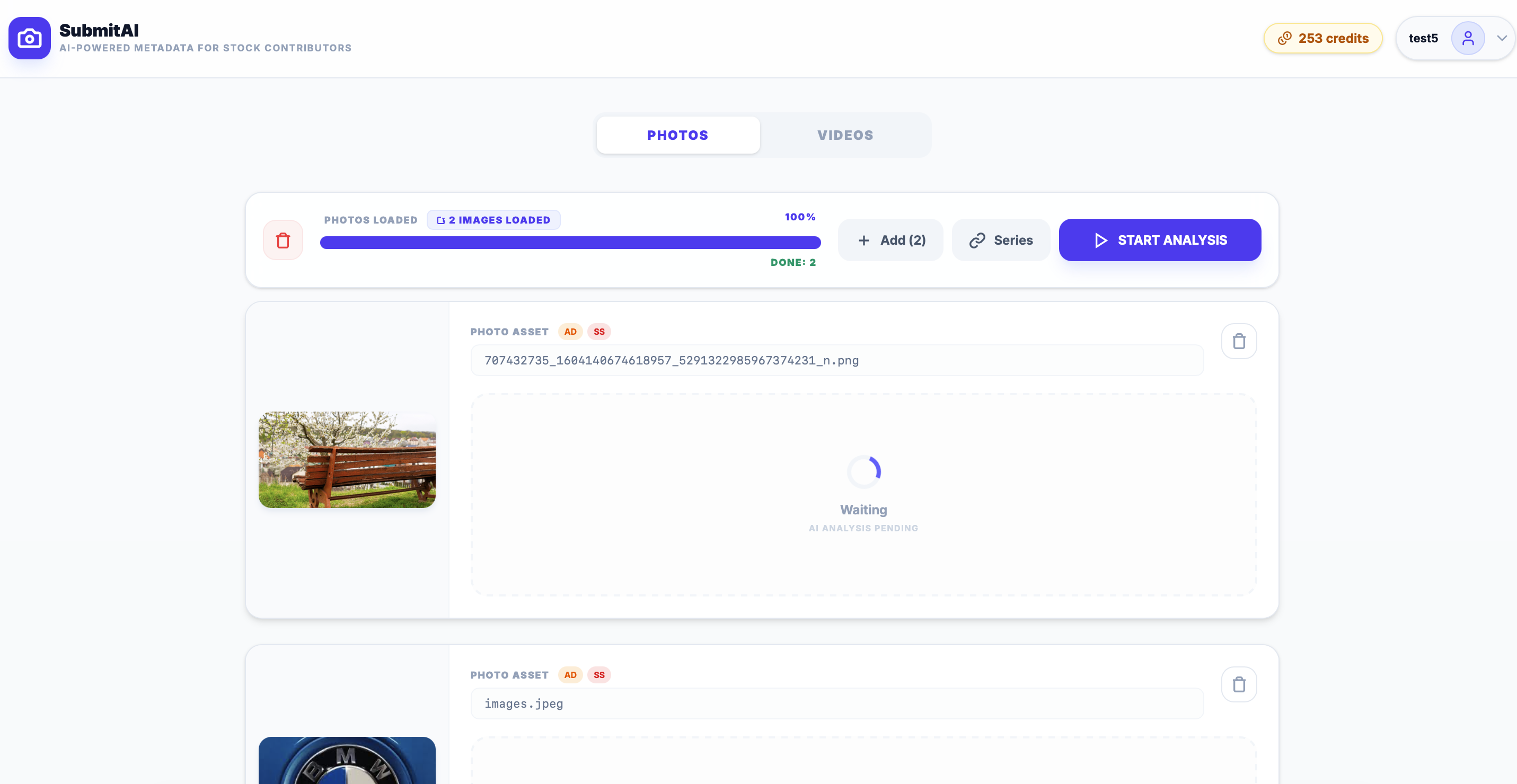
1. Load Your Assets
Whether you're uploading a batch of photos or heavy video files, SubmitAI handles them with ease. Simply drag and drop your assets into the main dashboard.
- Photos: We extract embedded EXIF data automatically to inform our AI.
- Videos: We extract multiple keyframes to ensure the AI understands the full context and motion of your clips.
2. Let AI Generate the Perfect Metadata
Click Start Analysis and watch the magic happen. The AI analyzes the visual elements, context, and mood of your media to generate:
- An SEO-optimized Title
- A descriptive Caption
- Up to 50 highly relevant Keywords, ordered by importance.
Pro Tip: Keyword ordering matters! Agencies like Adobe Stock heavily weight the first 10 keywords. Our AI automatically puts the most critical, descriptive tags at the beginning of the list to maximize your search visibility.
3. Review and Refine
No AI is perfect, which is why SubmitAI puts you in control. You can review every generated card, edit the title, or tweak the keywords. Notice a brand name? Simply click the "x" to remove it and keep your content safe for commercial use.
4. Export to Agencies
Once your metadata is perfect, exporting is a breeze.
- For individual files, use the Copy buttons to instantly grab the title or keywords to your clipboard.
- For large batches, PRO users can download a pre-formatted CSV file that matches the exact upload structure required by Adobe Stock or Shutterstock.
Ready to Accelerate Your Earnings?
Stop wasting time typing out keywords. Start streamlining your workflow today.