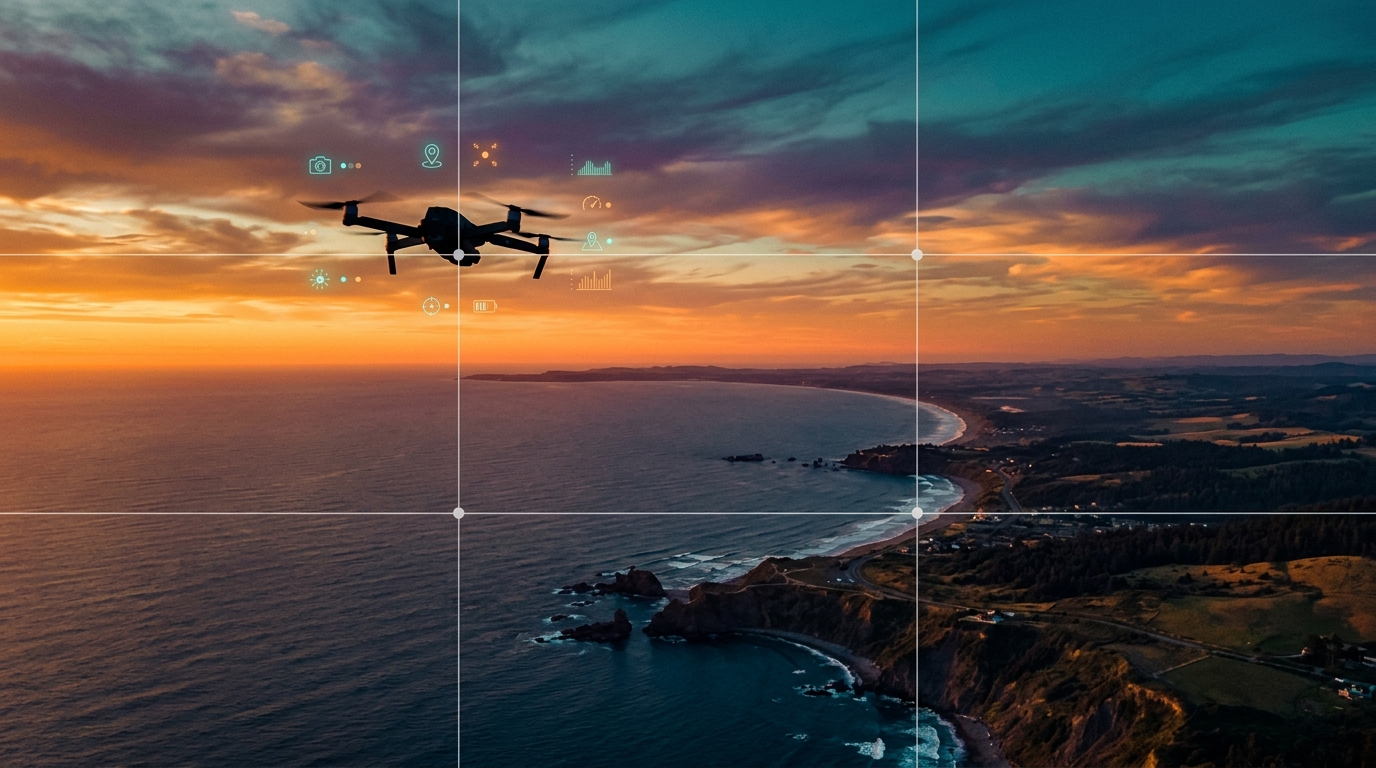
Drone footage is the fastest-growing content category in stock media, with aerial clips earning 5 to 20 times more per license than comparable ground-level photographs. Platforms like Adobe Stock, Shutterstock, and Pond5 report year-over-year increases in buyer demand for aerial content across real estate, travel, construction, environmental, and commercial advertising verticals.
Yet most stock contributors have not added drone footage to their portfolio — either because they assume it requires expensive equipment, complex licensing, or specialized editing skills. The reality is simpler than you think: a sub-$1,000 drone, a basic understanding of airspace rules, and the same metadata optimization skills you already use for photos can open up one of the most profitable content categories in stock media.
This guide covers everything you need to start: legal requirements, gear recommendations, shooting techniques, post-production workflow, metadata optimization, and the specific aerial content that buyers are actively searching for.
Key Takeaways
- Higher earnings per clip: Aerial stock footage earns 5-20x more per license than ground-level photos. A single 15-second drone clip can generate $5-$25+ per download on Adobe Stock.
- Lower competition: Fewer contributors produce drone content compared to standard photography, meaning less competition for search visibility.
- Legal compliance is non-negotiable: Flying without proper registration, certification, or airspace authorization can result in fines and permanent bans from stock platforms.
- You do not need a $5,000 drone: Consumer drones in the $400-$1,200 range produce footage that meets or exceeds stock platform requirements.
- Metadata matters even more for video: Aerial footage with optimized titles, keywords, and descriptions outperforms poorly tagged clips by 3-5x in downloads.
What Is Drone Stock Footage?
Drone stock footage refers to aerial video clips captured by unmanned aerial vehicles (UAVs or drones) and licensed through stock media platforms. These clips provide elevated perspectives — bird's-eye views, sweeping flyovers, orbital reveals, and top-down compositions — that are impossible or prohibitively expensive to capture with traditional camera equipment like helicopters or cranes.
Stock platforms categorize drone footage alongside standard video content, but aerial clips command significantly higher license fees due to the production value they add to commercial projects. A 10-second aerial establishing shot of a city skyline can transform a corporate video, real estate listing, or travel advertisement.
Legal Requirements: What You Must Know Before Flying
This is the most critical section of this guide. Ignoring airspace regulations does not just risk fines — it can result in your footage being rejected by stock platforms, your contributor account being suspended, and in serious cases, criminal prosecution.
Step 1: Register Your Drone
In the United States, all drones weighing more than 250 grams (0.55 pounds) must be registered with the Federal Aviation Administration (FAA). Most drones capable of shooting stock-quality footage exceed this threshold.
- FAA registration: $5 for recreational pilots, valid for 3 years
- Registration number must be displayed on the exterior of the drone
In the European Union, registration is handled through national aviation authorities under the EU Drone Regulation (EU 2019/947). Canada requires registration through Transport Canada. Check your country's specific requirements before flying.
Step 2: Get Certified (Required for Commercial Use)
Since you are selling footage commercially (stock licensing is commercial use), most countries require a pilot certification beyond basic registration:
- United States: FAA Part 107 Remote Pilot Certificate. Requires passing a 60-question knowledge test covering airspace, weather, regulations, and operations. Cost: approximately $175 for the test. Study time: 10-20 hours for most people.
- European Union: A1/A3 Open Category certificate (free online exam) for most consumer drones. A2 certificate required for flying closer to people.
- Canada: Advanced Operations certificate through Transport Canada.
- United Kingdom: Flyer ID and Operator ID through the Civil Aviation Authority (CAA).
Step 3: Know Where You Can (and Cannot) Fly
Airspace restrictions are the most common source of legal problems for drone pilots:
- Controlled airspace around airports requires authorization (LAANC in the US, or direct application to the relevant aviation authority)
- National parks prohibit drone flights in most countries
- Restricted zones around government buildings, military installations, and critical infrastructure are strictly off-limits
- Over crowds and moving vehicles requires specific waivers in most jurisdictions
- Maximum altitude is typically 120 meters (400 feet) above ground level
Step 4: Understand Property and Privacy Rules for Stock
Stock platforms have additional requirements beyond aviation law:
- Property releases are required for identifiable private property (homes, commercial buildings with distinctive features) in commercial-use footage
- Model releases are required if individuals are identifiable in the footage
- No-fly-zone footage will be rejected by stock platforms even if you obtained a waiver — most platforms err on the side of caution
- Flights over private property without permission may violate trespass laws regardless of airspace authorization
Bottom line: Get your Part 107 (or equivalent). It takes 2-3 weeks of casual study, costs under $200, and opens the door to a content category with dramatically higher per-clip earnings than ground photography.
Recommended Drones for Stock Footage (2026)
You do not need the most expensive drone on the market. Stock platforms require a minimum of 4K resolution at 24fps or higher, and clean, stable footage without excessive noise or jitter. Here are the best options by budget:
Entry Level ($300-$600)
- DJI Mini 4 Pro — 4K/60fps, under 249g (no registration required in some countries), excellent stabilization, 34-minute flight time. The best entry point for stock drone footage.
- DJI Mini 3 — 4K/30fps, under 249g, slightly fewer features but significantly lower price point.
Mid-Range ($800-$1,500)
- DJI Air 3S — Dual camera system (wide + 3x telephoto), 4K/120fps, 46-minute flight time, obstacle avoidance on all sides. The sweet spot for serious stock contributors.
- DJI Air 3 — Previous generation, still excellent, often available at significant discounts.
Professional ($1,500-$3,000)
- DJI Mavic 3 Classic — Hasselblad 4/3 CMOS sensor, 5.1K/50fps, exceptional dynamic range and color science. Produces footage that rivals cinema-grade aerial cameras.
- DJI Mavic 3 Pro — Triple camera system with 3x and 7x telephoto lenses for extreme versatility.
What to Prioritize
When choosing a drone for stock footage, prioritize these features in order:
- 4K resolution minimum (5K+ is a bonus but not required)
- 3-axis gimbal stabilization (essential for smooth, sellable footage)
- Good dynamic range (10+ stops, for handling high-contrast scenes like sunsets and shadows)
- D-Log or D-Cinelike color profile (flat color profile for maximum flexibility in color grading)
- Flight time 25+ minutes (longer flights = more variety per battery)
- Obstacle avoidance sensors (safety and confidence, especially in tight environments)
What Drone Footage Actually Sells
Not all aerial content is created equal. Based on platform search data and download patterns, these are the highest-performing drone stock categories:
Tier 1: Highest Demand
- Real estate and architecture: Aerial views of homes, commercial buildings, neighborhoods, construction sites. This is the single largest buyer segment for drone footage.
- City skylines and urban landscapes: Day, night, golden hour, and seasonal variations of recognizable and generic city skylines.
- Coastal and beach scenes: Waves crashing on shoreline, aerial views of turquoise water, boats, surfers, beach patterns.
- Nature and wilderness: Mountains, forests, rivers, waterfalls, desert landscapes, dramatic terrain from above.
Tier 2: Strong Demand
- Agriculture and farmland: Crop fields, orchards, vineyards, farming equipment in fields, irrigation systems. Environmental and agricultural industry buyers consistently need this content.
- Infrastructure and transportation: Highways, bridges, railways, shipping ports, wind farms, solar panel arrays.
- Environmental and climate: Deforestation, melting glaciers, drought, flooding, pollution — editorial content with growing demand from media organizations.
- Events and gatherings: Outdoor festivals, marathons, sports events (editorial use — check local drone restrictions for events).
Tier 3: Niche but Profitable
- Industrial sites: Factories, warehouses, logistics centers, construction in progress. B2B buyers pay premium rates for this content.
- Seasonal transitions: The same location filmed across seasons (autumn foliage, snow cover, spring bloom, summer green) creates highly licensable comparison content.
- Patterns and abstractions: Geometric patterns visible only from above — parking lots, agricultural circles, road intersections, rooftop layouts.
What Does NOT Sell Well
- Random flyover footage with no clear subject or composition
- Shaky or jerky clips that betray amateur piloting
- Overly graded or filtered footage that limits commercial versatility
- Restricted airspace footage (airports, military, government buildings)
- Footage with visible drone shadow or propeller intrusion in the frame
Shooting Techniques for Sellable Aerial Footage
The difference between amateur drone footage and stock-worthy aerial content comes down to camera movement discipline and composition awareness.
Essential Camera Movements
Master these five movements and you will cover 90% of stock footage buyer needs:
- Reveal shot: Start with the camera pointing down or at an obstruction (hillside, building edge), then slowly pan or fly forward to reveal the landscape. Creates dramatic editorial opening shots.
- Orbital shot: Circle around a central subject (building, landmark, person) while keeping it centered. The most requested movement by real estate and commercial buyers.
- Top-down / bird's eye: Point the camera straight down and fly slowly over terrain, roads, or patterns. Creates unique abstract-style footage with strong compositional appeal.
- Tracking shot: Follow a subject (car, boat, person walking) at a consistent distance and altitude. Requires smooth stick control or intelligent flight modes.
- Slow push-in: Fly slowly and steadily toward a subject from a distance. The aerial equivalent of a dolly-in shot. Simple, elegant, and highly sellable.
Camera Settings for Stock
- Resolution: 4K minimum. Shoot 5K+ if your drone supports it for cropping flexibility.
- Frame rate: 24fps for cinematic look, 30fps for general commercial use, 60fps if you want to offer slow-motion options.
- Color profile: Always shoot in D-Log, D-Cinelike, or HLG flat profile. This preserves maximum dynamic range for color grading and gives buyers maximum flexibility.
- Shutter speed: Follow the 180-degree rule (shutter speed = double the frame rate). For 24fps, use 1/50 shutter. Use ND filters to achieve this in bright daylight.
- ISO: Keep as low as possible (100-400). Drone sensors are smaller than full-frame cameras and produce noise at high ISO values.
- White balance: Set manually (do not use auto). Consistent white balance across a session makes batch color grading dramatically easier.
Clip Length and Structure
Stock video buyers license clips between 5 and 30 seconds in duration. Optimal stock drone clips follow this structure:
- 5-10 seconds: Single movement, single subject. Clean start and end. This is the bread-and-butter format.
- 10-20 seconds: Movement with a development — a reveal, an approach, or an orbit that completes a visual arc.
- 20-30 seconds: Only for complex sequences where the full movement needs time to develop (slow panoramic reveals, complete orbital shots).
Record 30-60 second takes and trim in post. Always include 2-3 seconds of clean hold at the beginning and end of each clip — this gives editors handles for transitions.
Post-Production Workflow
Raw drone footage requires minimal but essential post-production before stock submission.
Color Grading
If you shot in D-Log or a flat profile (which you should), you need to apply a LUT or manual color grade to bring the footage to a natural, balanced look:
- Apply a Rec.709 conversion LUT as a starting point
- Adjust exposure — ensure no crushed shadows or blown highlights
- Correct white balance if needed
- Add subtle contrast — flat footage looks washed out without mild contrast adjustments
- Enhance saturation slightly — but keep it natural and commercially versatile
Do not over-grade. Buyers want a clean, natural starting point that they can further grade to match their project. Heavy color grades (orange-teal Hollywood look, desaturated film looks) severely limit commercial appeal.
Stabilization
Even with a 3-axis gimbal, some clips may have subtle jitter from wind gusts or aggressive maneuvers. Apply gentle stabilization in your editing software (Premiere Pro Warp Stabilizer, DaVinci Resolve Stabilizer) but check for warping artifacts — over-stabilization can create jelly-like distortion.
Export Settings
- Format: H.264 or H.265 (check platform requirements — Adobe Stock accepts both)
- Bitrate: High (50-100 Mbps for 4K)
- Resolution: Match your source (3840×2160 for 4K)
- No watermarks, logos, or overlays
Metadata Optimization for Drone Footage
Aerial footage metadata follows the same principles as photo metadata, with a few critical additions specific to drone content.
Title Formula for Drone Clips
Use Formula 6 from our title formulas guide:
[Location/Environment] + [Scene Description] + [Camera Movement] + [Atmosphere]
Examples:
- "Aerial view of coastal cliffs and turquoise ocean waves slow flyover at golden hour"
- "Top-down drone shot of autumn forest canopy with winding river in morning fog"
- "Orbital aerial view of modern glass office building in urban downtown at sunset"
Drone-Specific Keywords
In addition to standard descriptive keywords, include terms that aerial footage buyers specifically search for:
- Movement terms: aerial, drone, flyover, orbit, reveal, tracking shot, bird's eye, top-down, establishing shot
- Technical terms: 4K, cinematic, gimbal, stabilized, smooth, slow motion
- Perspective terms: overhead, elevated, high angle, panoramic, wide angle
- Use-case terms: establishing shot, b-roll, background, opener, intro sequence
AI-Assisted Metadata for Video Batches
After a single drone session, you may have 30-50 individual clips to keyword. Doing this manually for video is even more time-consuming than for photos because each clip contains movement, changing compositions, and evolving subject matter.
SubmitAI analyzes your footage content and generates platform-optimized metadata — titles, sorted keywords, and descriptions — for each clip in seconds. This is particularly valuable for drone sessions where you captured dozens of variations of similar subjects (different angles, movements, and times of day over the same location).
For the complete metadata workflow, read our guide on how to keyword stock photos — the same principles apply to video metadata. And for uploading large batches efficiently, see our CSV batch upload guide.
Building Your Drone Portfolio Strategy
Starting a drone stock portfolio from scratch requires a different approach than photo portfolios.
Start Local
Your immediate surroundings contain more sellable aerial content than you think. Within a 30-minute drive of most locations, you will find:
- Urban skylines and neighborhoods
- Agricultural fields and rural landscapes
- Coastal features (beaches, cliffs, harbors)
- Infrastructure (highways, bridges, industrial areas)
- Parks and natural areas
Shoot the same locations at different times of day (sunrise, midday, golden hour, blue hour, night) and different seasons. A single location filmed across 4 seasons with 3 lighting conditions produces 12 distinct clips from one subject.
Diversify Camera Movements
For each location, capture at least 3-4 different movements (reveal, orbital, top-down, push-in). This gives buyers options and increases the chance that one of your clips matches their specific creative need.
Volume Targets
- Month 1-3: Upload 50-75 clips covering local subjects
- Month 4-6: Expand to 150+ clips, adding seasonal content and travel destinations
- Month 7-12: Aim for 300+ clips with consistent metadata quality
For the full portfolio-building framework, read our guide on how to build a profitable stock portfolio.
Frequently Asked Questions
Do I need a license to sell drone footage as stock?
Yes. Since stock licensing is a commercial activity, most countries require a commercial drone pilot certificate. In the United States, this means passing the FAA Part 107 Remote Pilot exam (approximately $175, 60 questions, 10-20 hours of study). In the EU, you need at minimum the A1/A3 Open Category certificate. Flying commercially without certification can result in fines up to $32,666 per violation in the US and will cause stock platforms to reject your footage or ban your account.
What is the minimum drone quality for stock footage?
Stock platforms require a minimum resolution of 4K (3840×2160) at 24fps or higher with smooth stabilization. In practice, any consumer drone from DJI's Mini series or above meets these requirements. The DJI Mini 4 Pro (approximately $760) is the most affordable drone that consistently produces stock-quality footage. Avoid sub-$200 drones — their stabilization and image quality are not sufficient for commercial licensing.
How much can you earn from drone stock footage?
Individual drone clips earn between $5 and $25+ per download, compared to $0.25-$8 for standard photographs. A portfolio of 200 well-keyworded drone clips on Adobe Stock and Shutterstock can generate $200-$800 per month in passive income. High-demand categories like real estate aerial views and city skylines earn the most per download due to premium licensing tiers.
Can I fly my drone anywhere for stock footage?
No. Airspace restrictions, national park prohibitions, and local ordinances limit where you can legally fly. All drone flights must comply with your country's aviation regulations, stay below the maximum altitude (typically 120 meters / 400 feet), avoid restricted airspace, and maintain visual line of sight. Additionally, stock platforms require property releases for identifiable private property and model releases for identifiable individuals, even in aerial footage.
What is the best drone for stock footage beginners?
The DJI Mini 4 Pro is the best entry-level drone for stock footage. It shoots 4K at 60fps, weighs under 249 grams (exempt from registration in some countries), offers 34-minute flight time, and includes obstacle avoidance sensors. It costs approximately $760 and produces footage that is indistinguishable from much more expensive drones in most stock categories.
The Bottom Line
Drone stock footage represents one of the most accessible high-earning opportunities in stock media today. The gear is more affordable than ever, the legal requirements are straightforward (if you take the time to comply), and buyer demand continues to grow faster than the supply of quality aerial content.
Start with a capable consumer drone, get your Part 107 or equivalent certification, master the five essential camera movements, and apply the same metadata optimization discipline to your clips that you already apply to your photos. The altitude changes, but the fundamentals of stock success remain the same: quality content, smart keywording, and consistent uploads.
For an overview of all the factors that determine stock income — including how video footage dramatically increases per-download earnings — read our analysis on realistic stock photography earnings in 2026.